GL Numbering Report
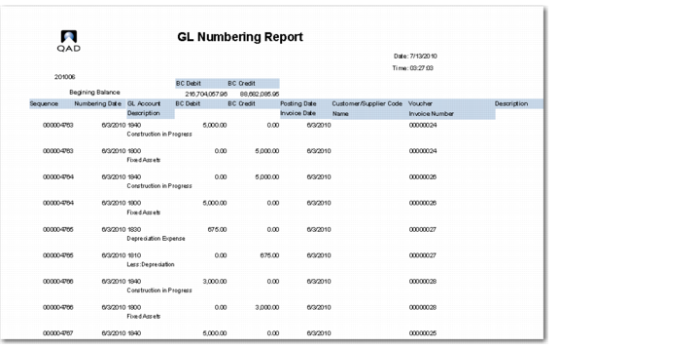
The GL Numbering report (36.1.99) lists all transactions posted over the specified time frame. The pages in the GL Numbering report are numbered progressively for the whole year.
The report has the following selection criteria:
• Additional Numbering Date
Specify the range of numbering dates for which to run the report.
• Additional GL Sequence Number
Specify the range of sequence numbers for which to run the report.
• Print Address
Select Yes to print the entity’s address details at the top of each page of the report.
Select No if you do not want to print the entity’s address details on each page of the report.
• Print Second Description
Select Yes to print the second description for each posting. The second description is a user-specified, plain description of the posting.
Select No if you do not want to print the second description on the report.
The report lists the following detail for each transaction:
• Numbering date
• Sequence number
• Supplier or customer code
• Supplier or customer name
• Posting description and the secondary GL description, if this option is selected
• Voucher
• Invoice number
• Invoice date
• Account
• Account description
• Debit amount
• Credit amount
• Posting date. The posting date is printed if it is different from the numbering date.
GL Numbering Report (36.1.99)
If you select Yes in the Print Address field, the address information of the source entity is printed on each page.
Address Details
At the beginning of a period, the report prints the accumulated balance of all transactions from the beginning of the year.
Accumulated Balance
The following information is printed at the end of the GL Numbering report:
• The total debit and credit amounts in base currency for the selected period.
• The total debit and credit amounts in base currency from the beginning of the year to the end of the period.
• If the report selection criteria includes transactions from the prior year, the total debit and credit amount in base currency for these transactions is printed.
End of Report Totals