Additional GL Numbering
Additional GL Numbering lets you generate a secondary numbering sequence for GL transactions. This sequence number is an alternative reference number for use in countries where local GAAP constraints require that GL posting numbering be sequential, without any gaps. Additional GL Numbering is enabled at entity level. See
Setting Up Entities.
When additional GL numbering is activated for an entity, a sequence number is generated for all postings in official and management layers for which additional GL numbering applies. The system assigns the sequence number to any posted GL transactions that originate from all modules, both financial and operational, such as purchasing and sales. The sequence number has the following format:
• It has nine digits starting from 000000001.
• The number increments by 1 per posting. For example, if the current posting is numbered 000000005, the next posted transaction will be numbered 000000006.
The sequence number of a transaction subsequently appears in statutory reports, such as the GL Numbering report. See
GL Numbering Report.
In certain countries, such as Italy, auditors can request that accounts be reclassified on statutory reports. The auditor may require, for example, that some transactions from the prior year be represented in one of the current year’s reporting periods. You can renumber additional GL sequences using the GL Sequence Renumber report (25.15.1.17). See
GL Sequence Renumber Report.
Setting Up Additional GL Numbering
You enable additional GL numbering in the entity record. See
Setting Up Entities.
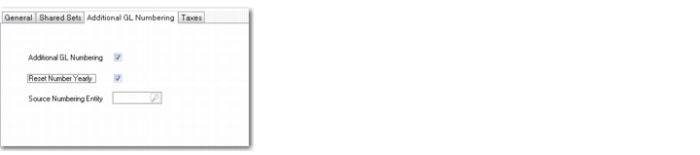
When additional GL numbering is enabled for an entity, you can specify another active entity from the same domain as the numbering source for additional GL numbering in the current entity. You can also indicate whether the numbering sequence must be reset yearly.
Entity Modify, Additional GL Numbering Tab
Select the Reset Number Yearly field for the system to automatically reset the GL numbering sequence at the beginning of each GL calendar year.
To specify another entity as the numbering source for additional GL numbering in the current entity, additional GL numbering must be enabled in the source entity. The numbering sequences from the source entity are then used as the numbering source for GL postings in the current entity. Any entity that uses another entity as its numbering source is referred to as a dependent entity.
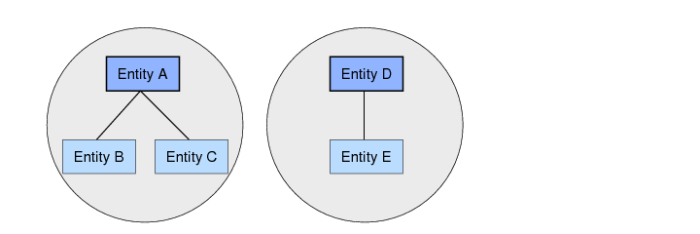
If an entity is the numbering source for dependent entities, you can only configure the Reset Number Yearly field in the source entity. In addition, a dependent entity cannot itself be the numbering source for another entity. For example, if entities A, B, and C belong to the same domain, and entity A is the numbering source for entity B, then entity B cannot be the numbering source for any other entities. However, entity A can simultaneously be the numbering source for multiple entities, such as entity B and entity C in the example in
Numbering Groups. A grouping of source and dependent entities for additional GL numbering purposes is referred to as a numbering group.
Numbering Groups
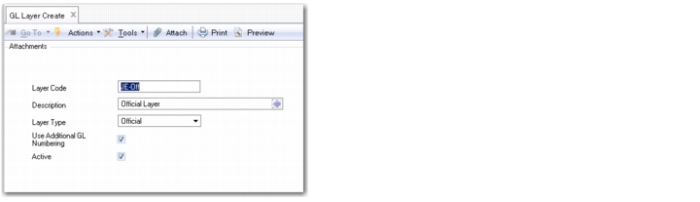
You use the Additional GL Numbering field in GL Layer Create (25.8.14.1) and GL Layer Modify (25.8.14.2) to denote the layers for which the system must generate additional GL numbers. You can generate additional GL numbers for transactions in the official and management layers. See
Accounting Layers.
GL Layer Create (25.8.14.1)
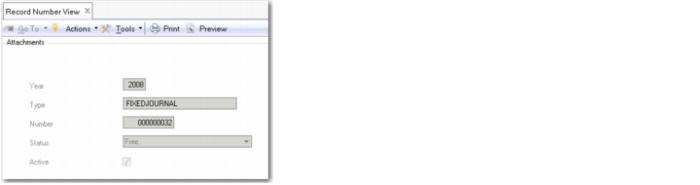
Use Record Number Maintain (36.16.21.2) to specify the first number in an additional GL numbering sequence. Specify a transaction type of FIXEDJOURNAL and a status of Free when specifying additional GL numbering starting sequences. For more information on Record Number Maintain (36.16.21.2), see
QAD System Administration User Guide.
Record Number View (36.16.21.1)