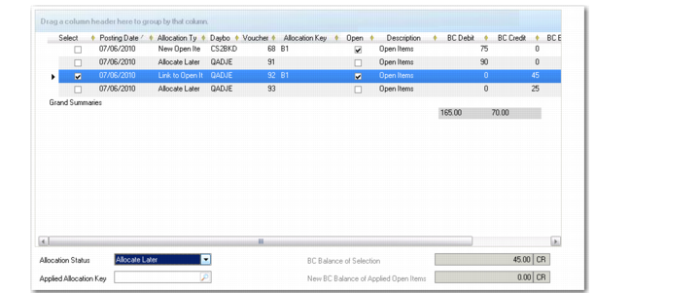
Deallocating an Allocated Item
Using GL Open Item Reconciliation (25.15.2.13), you can also deallocate allocated lines.
To deallocate an item:
1 Select the allocated line in the grid in GL Open Item Reconciliation (25.15.2.13).
2 In the Allocation Status field at the bottom of the screen, change the allocation status of the selected line to Allocate Later.
Allocated Item
3 Click the Execute button to deallocate the item.
Deallocated Item
If you view the original transaction—in this case, a journal entry—the change in status to Allocate Later is also reflected there.
Updated Journal Entry