GL Open Item Reports and Views
GL Open Item Report
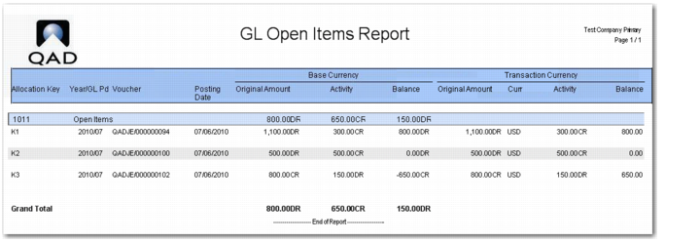
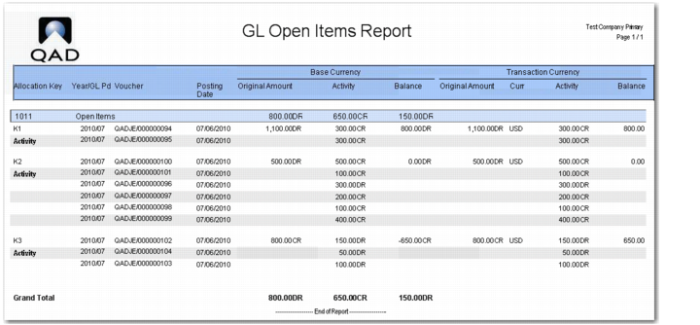
The GL Open Item report (25.15.1.8) lists and totals GL open items within the open items sub-ledger. The output is grouped by allocation key.
The following are the report selection criteria:
• Entity
Specify the entities for which to run the report. You can only select entities in the current domain.
• GL Account
Specify the range of accounts for which to run the report. Only GL open item accounts within this range that match the other selection criteria are included in the report output.
• Allocation Key
Specify the allocation key for which to run the report. This field is optional.
• Include Activity
Select Yes to display the transactions for each allocation key.
Select No to display totals for each allocation key.
• Open at Date
Specify the date for which you want to run the report. GL items that were open on this date and that meet the other report selection criteria are included.
• Include GL Open Item Transactions
Select All to display all GL open item transactions that match the selection criteria.
Select Allocated Transactions to only display allocated GL open item transactions that match the selection criteria.
Select Unallocated Transactions to only display unallocated GL open item transactions that match the selection criteria.
• Layer
Specify the GL layers for which to run the report. Only transactions in these layers are included in the report output.
GL Open Item Report, Run to Exclude Activity
GL Open Item Report, Run to Include Activity
GL Open Item View
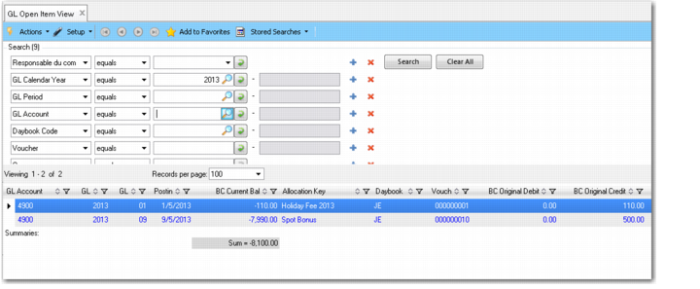
The GL Open Item View (25.15.2.5) displays the balance of transactions for each allocation key on a GL open item account.
GL Open Item View
GL Open Item Activity View
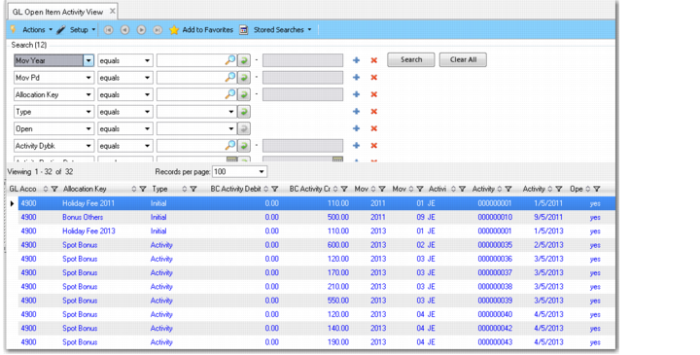
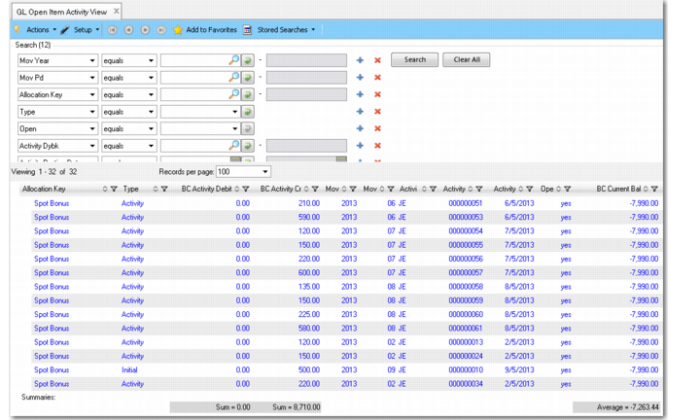
The GL Open Item Activity View (25.15.2.6) displays activity on a GL open item account for the specified search criteria. For the time period specified, the view lists each transaction performed on the account and the allocation key, and indicates whether the movement is open or closed. The view only displays transactions for which a GL open item movement was created; that is, transactions for new open items or transactions linked to an existing open item.
Note: Transactions created with the Allocate Later option do not create GL open item movements until they are allocated.
The Type column displays the value Initial for transactions for which new open items were created and displays the value Activity for transactions linked to existing open items.
GL Open Item Activity View
If you group the transactions by GL account and allocation key and add an Average summary to the BC Curren Bal column, you can create an overview of all open item keys for each account with their associated balances. You can view the details by clicking the plus sign (+) beside each allocation key. You can also save the browse settings as a stored search for reuse later.
GL Open Item Activity View, Grouped Transactions
GL Transactions View Extended
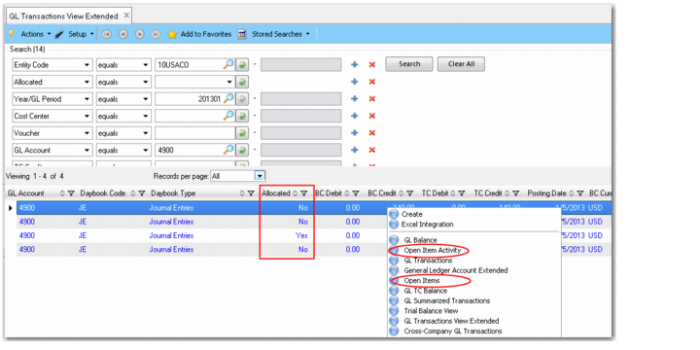
The GL Transactions View Extended (25.15.2.10) includes an Allocated search criteria that lets you search for allocated or unallocated GL open item transactions. For allocated transactions, the allocation key is also displayed in the view.
The GL Transactions View Extended (25.15.2.10) and the GL Transactions View (25.15.2.1) also let you drill-down to view the underlying GL open item transactions.
GL Transactions View Extended