Activities Tab
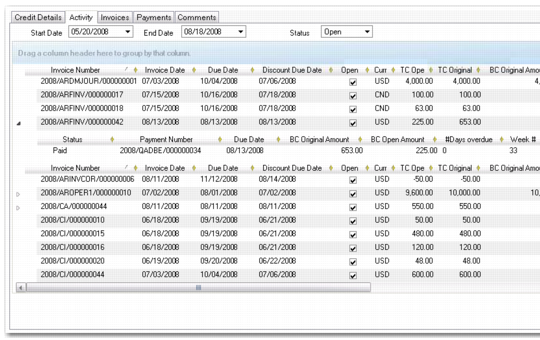
This tab lets you view customer invoices and associated payments in one screen, including payments created by allocating a bank statement line to an invoice
By default, open invoices for a three-month range display. You can change the start and end dates as needed and choose to look at closed invoices or both closed and open using the Status field.
Double-click individual lines on the grid to view the original item.
Customer Activity Dashboard, Activity Tab
Review the information under the Invoices and Payments tabs for individual field details.