Linking Billing Schedules To Customers
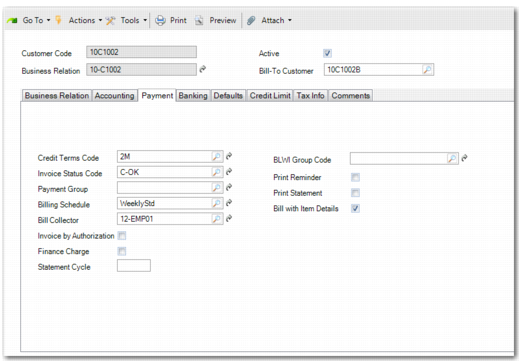
A billing schedule is of no use unless it is applied to a customer or customers. To link a billing schedule to a customer, open Customer Modify (27.20.1.2), enter the relevant customer, and select the Payment tab. The fields for billing assignment are:
Billing Schedule
Specify a billing schedule for the customer by selecting the appropriate billing schedule code.
Bill Collector
Assign a default bill collector.
Bill with Item Details
To provide item line details in bills produced for the customer, select this field.
Adding Customer Billing