Matching Logistics Supplier Invoices to Pending Invoices
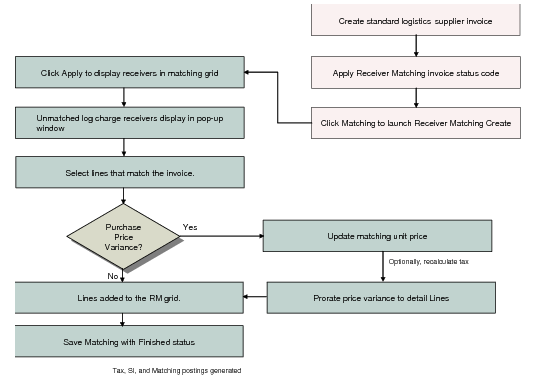
Like standard invoices, you can select initial invoices from logistics suppliers and the PO receipts and sales order shipments that generated the logistics charges in Receiver Matching Create. Alternatively, you can initiate matching directly from the invoice, by entering the invoice details and clicking Matching to launch Receiver Matching Create.
A single pending invoice for logistics charges can have many underlying pending invoice detail records—one for every charge on every item on the order. Therefore, if a PO receipt was for two items, and logistics charges were accrued for both freight and duty, the pending invoice would have four pending invoice detail records.
When you click Apply in the filter frame of the Logistic Charge tab, a pop-up window with a grid opens with a line for every matching pending invoice, without the underlying details. You can then update the matched amount for the logistics charges if the logistics supplier invoice differed from the charges accrued. Any difference between the matched amount and the accrued amount is pro-rated between the matching records created for every underlying pending invoice detail record.
When the difference is zero between the pending invoice and the logistics supplier invoice, you can save the receiver matching.
Note: A pending invoice can be matched with more than one invoice.
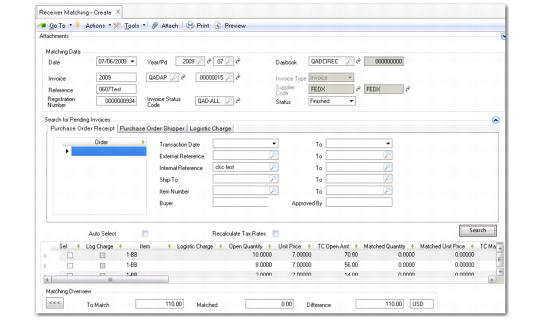
Receiver Matching Create, Logistic Charge Tab
Matching Logistics Supplier Invoices
.