Setting Up Interest Accounts
In the EDI Advanced Banking flow, the bank, as a collecting agent, determines and calculates late payment interest. The interest is not applied by the supplier, as in the case of finance charges. The system does not check if interest is due or missing, and instead records interest received in incoming files from the bank and posts it to the relevant interest accounts. See
Calculating Finance Charges for more information on finance charges.
Before you use EDI Advanced Banking, you must use GL Account Create to define standard accounts for interest charges. You can use the same account for both AR and AP interest charges, or you can use a separate account for each.
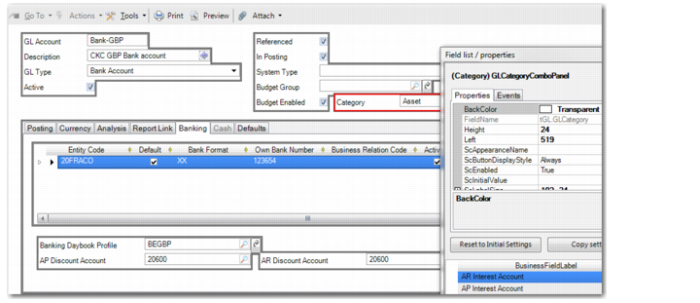
In the Banking tab of GL Account Modify, you must then associate the interest account or accounts with the bank account that you are using for EDI Advanced Banking. The AR Interest Account and AP Interest Account fields are hidden by default, but you can activate them using design mode. For more information on design mode, see
QAD System Administration User Guide.
If you do not activate the AR Interest Account and AP Interest Account fields and specify interest accounts, the system uses the discount accounts defined in the Banking tab of the GL account record for the interest postings.
GL Account Modify, Add Interest Accounts in Design Mode
Setting Up Interest Rates
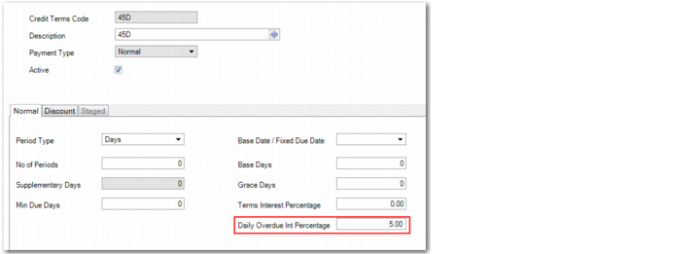
If interest is applied for late payments, you must set up a credit term and specify the interest rate in the Daily Overdue Int Percentage field in the Credit Terms record. The system uses the value defined in this field to quote the rate in the EDI message if referenced in the invoice or staged payment.
Credit Terms Modify