Petty Cash Options
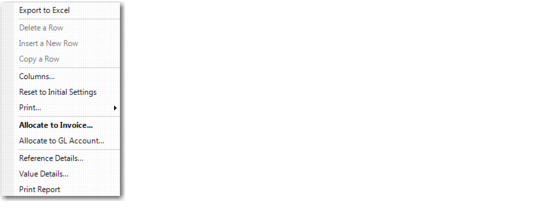
After you have entered a line, right-click in the line to display the additional options.
Petty Cash Options
Available options include:
• Allocate to Invoice
• Allocate to GL Account
Allocate to Invoice
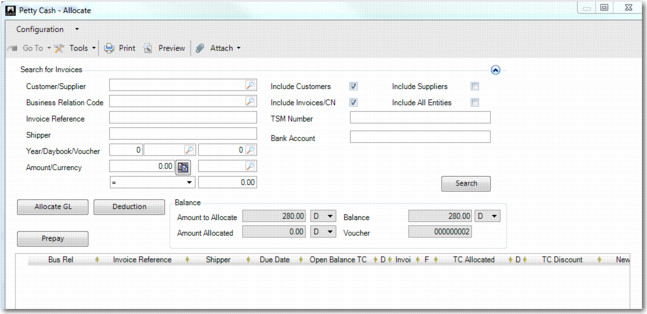
Use this option to select invoices to which you want to allocate the entry amount. This option works in the same way as Allocate to Invoice in Banking Entry Create. See
Allocate to Invoice.
Petty Cash Allocate
Creating a Deduction
You can record a deduction if a customer pays less than the amount owed. Reasons for deductions can include rounding differences, reductions due to quality issues, perceived entitlements based on commercial agreements, damaged goods, spoilage, improper packaging or labeling, or any other reason for which a customer may pay less.
The process for entering deductions is similar to that for creating prepayments. However, unlike prepayments, you can enter many deductions for a single payment transaction. Click on the Deduction button to open Petty Cash–Deduction.
Deductions and how to record them are described in detail in
Processing Deductions.
Allocate to GL Account
The Allocate to GL Account option displays a Journal Entry window, in which you can allocate the petty cash amount to GL accounts. This option works in the same way as Allocate to GL Account in Banking Entry Create. See
Allocate to GL Account.