Intercompany Elimination Postings
This section describes how to identify and eliminate intercompany postings in your consolidation.
1 Identify the postings to eliminate using one of the following methods:
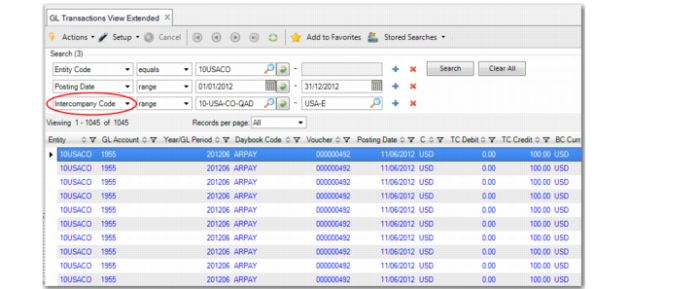
• Use GL Transactions View Extended (25.15.2.10) or Trial Balance View (25.15.2.9), and filter by intercompany code to display intercompany transactions.
GL Transactions View Extended
• Run the GL Transactions by Intercompany Code report (25.15.1.5) to identify intercompany transactions to eliminate.
2 In the consolidation entity, create and post a journal entry that offsets intercompany transactions.
The elimination posting can consist of a single journal entry posted to one of the new journal entries type daybooks you created in
Set Up Intercompany Eliminations. For ease of entry, you can use a posting template.
3 At each level of consolidation, repeat the process of identifying intercompany transactions and creating netting postings to eliminate them.