Report Cube Consistency Check
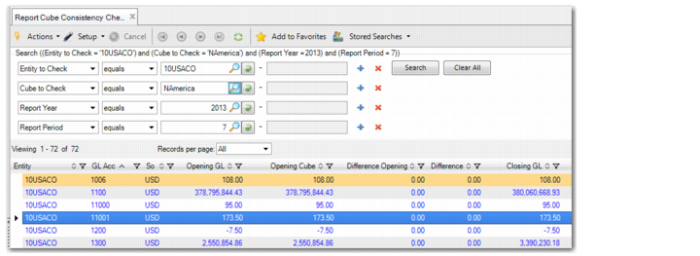
Report Cube Consistency Check (25.16.50.5) lets you check a cube’s balances in base currency against the balances for the source GL accounts.
In the browse, you can filter on the cube, entity, report year, and report period for which you want to check balances. The results in the browse compare the base currency opening balances, debit and credit values, and closing balances of the source entity and the cube. The browse also lists amounts in the cube’s presentation currency.
The Differences columns shows all zeros when the balances in the source entities (Trial Balance) are equal to the balances in the report cube.
If there are unprocessed Cube daemon queue records, an error displays indicating that the cube is not up to date. In this case, you must wait until the Cube daemon has successfully processed the queue. You can verify the queue status in Cube Daemon Monitor. See
Cube Daemon.
Report Cube Consistency Check