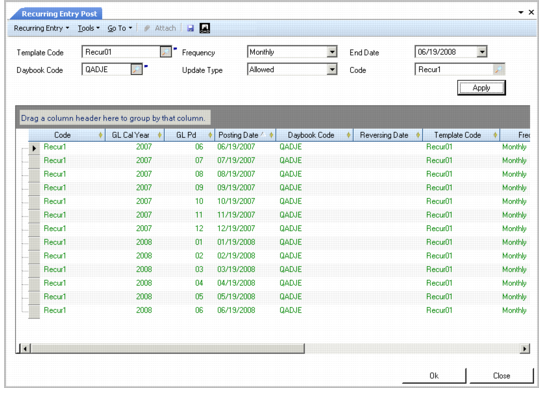
Posting Recurring Entries
Use Recurring Entry Post (25.13.4.5) to post recurring entries to the official layer, and update the posting amounts.
When selecting recurring entries to post, you must specify an end date as a search criterion. Refine the search further using the template, daybook, frequency, and update type criteria. Recurring entries without an end date are also included in searches, if they match the other search criteria.
Recurring Entry Post
Field Descriptions
Template Code
Specify the template code for the recurring entry you want to post.
Daybook Code
Specify the daybook code of the recurring entry.
Frequency
Choose a type of frequency to filter the recurring entries in this period.
Update Type
Choose an option to indicate if details in the template can be updated when the postings are run.
Allowed: You can optionally update posting details marked as Allowed. Posting details with this status are displayed in green.
Forbidden: You cannot update posting details marked as Forbidden. Posting details with this status are displayed in black.
Mandatory: You must update posting details marked as Mandatory. Posting details with this status are displayed in blue.
End Date.
Specify an end date for the recurring entries.
Code
Specify the code that identifies the recurring entries you want to post.
Click Apply to display all recurring entries that match the search criteria. Click OK to post the recurring entry transactions.