Character Client Code: Generate R-Code
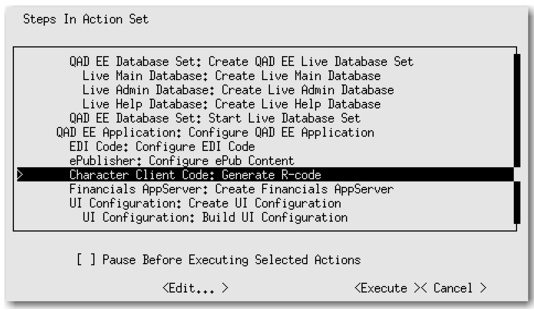
1 Select Character Client Code: Generate R-Code and press Enter.
Generate R-Code Menu Option
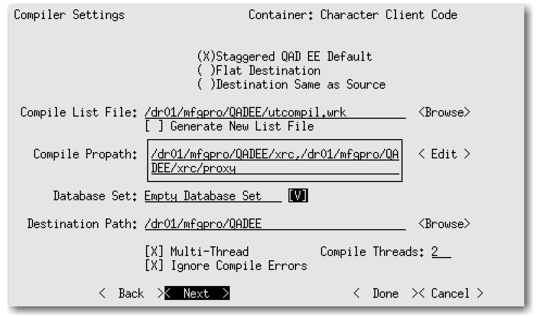
2 Change the Compiler Settings (
Compiler Settings). Tab to each setting option and use the spacebar to select it. Then configure the settings as follows:
• Multi-thread: Enabled.
• Ignore Compile Errors: Enabled.
• Compile Threads: Specify the number of CPU cores.
Compiler Settings
3 Tab to Next and press Enter.
4 Create Dir: Yes.
5 Tab to Next and press Enter. This returns to the main conversion option screen.