QAD 2016 Enterprise Edition Training Guides
>
Financials-Advanced
>
Advanced Banking Setup
>
Changing Bank and Payment Format Details
Changing Bank and Payment Format Details
If you create a supplier payment selection, and then decide to run the payment from a different bank account than the one used the original payment selection, you can update the own bank number from the payment selection.
It is also possible to change the payment format of the payment selection.
Overview
When using a customer or supplier payment to process invoices, the system loads the default account number, own bank account, and payment format defined for this customer or supplier into the payment fields. These banking details are then used for all open items contained in the payment.
Businesses often need to change the default own bank account and payment format during the payment cycle. Therefore, you can change the payment banking details for a customer or supplier payment in any status other than Paid. This means that you can create and allocate a payment to open items for one or multiple customers or suppliers, each with different banking details. When the allocation is complete, you can then select a different own bank number and payment format in the payment header.
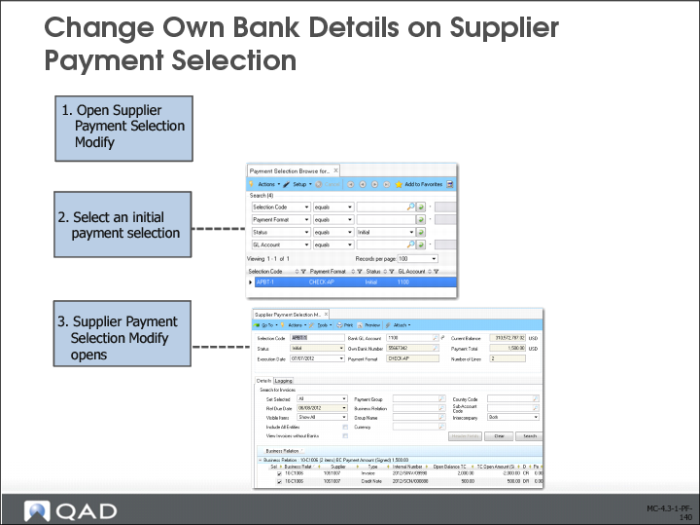
Change Own Bank Details on Supplier Payment Selection
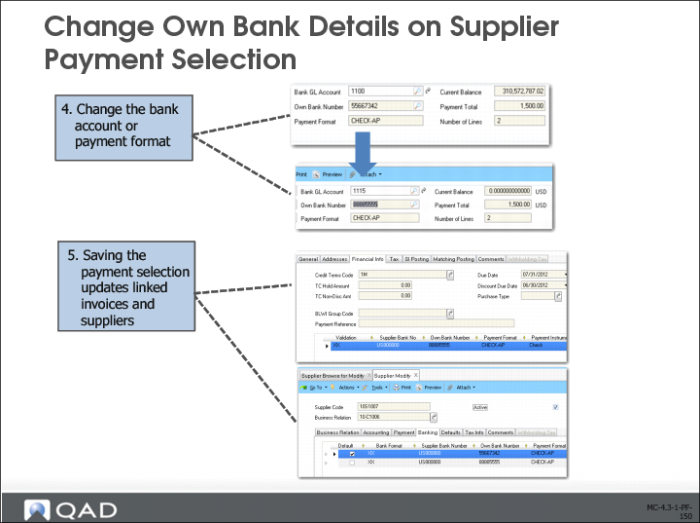
In Supplier Payment Selection Modify (28.9.4.2), select a payment selection with the status Initial.
Select another own bank/account number and payment format. (this can be subject to certain restrictions – see later).
The system updates the payment details for all the open items included in the payment selection and adds the newly-selected own bank account and payment format to the supplier’s master data.
Payment Format Attribute Restrictions
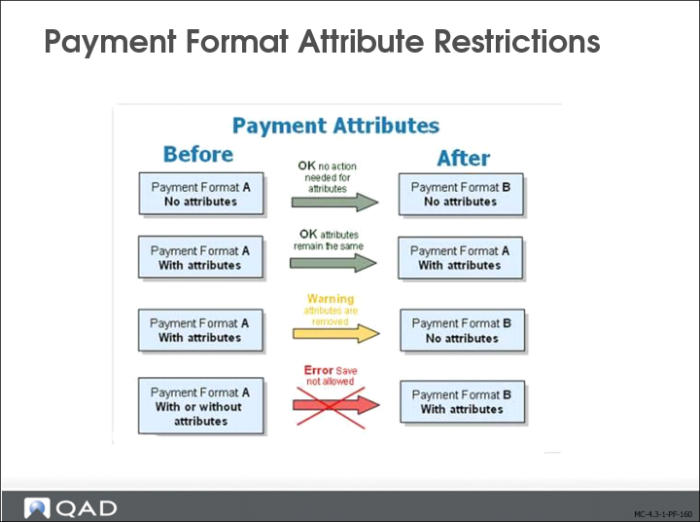
The original and new payment formats used in the payment selection update process can contain payment attributes, and the attributes of a new payment format must be consistent with the attributes applied to the original open item. The following restrictions apply:
1 If you change the payment format to a different payment format, and neither payment format has attributes, you can change the own bank number (and the linked payment format).
2 If you change the payment format to a payment format of the same type and both payment formats have attributes, you can change the own bank, but the attributes must remain the same.
3 If you change the payment format from a format with attributes to a different format without attributes, you can change the own bank number. The system displays a warning that the attributes linked to the open items will be removed.
4 If the payment format is changed to a different payment format with attributes, the own bank number cannot be changed.
When the format selected for the payment is different than the open item format and has attributes, the system prevents you from allocating to open items. This is because the new format attributes can conflict with those of the open items.
Payment Mass Change
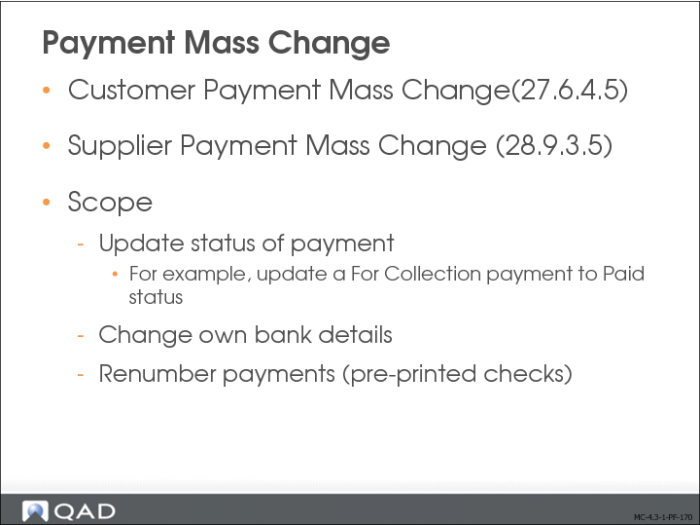
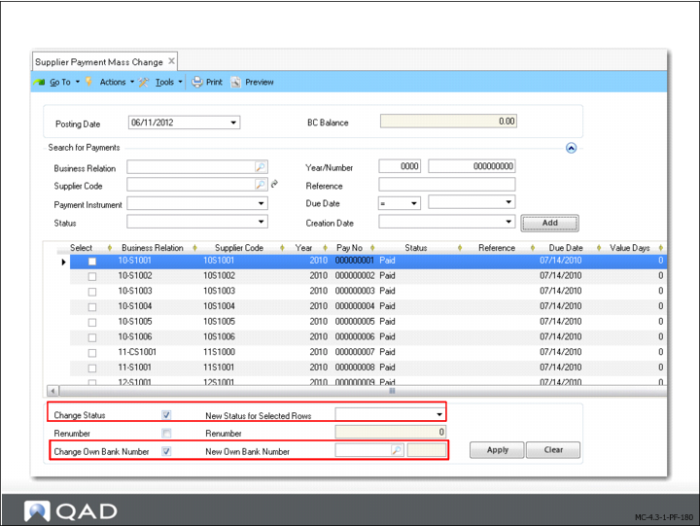
Use Payment Mass Change to confirm the status transitions of one or more payments and, if required, to change the bank details for selected payments.
You typically change the status of single payments by modifying the original payment and using the change status activity to handle multiple payments at one time. This activity helps streamline the completion of a payment processing flow. For example, if the bank notifies you that a set of checks has cleared, you can update the status of all the checks at one time.
You can also use the Payment Mass Change activity to renumber payments, such as printed checks, if needed. However, it is recommending to restrict the renumbering of payments and only use this option in special circumstances.
When completing customer or supplier payments, you can decide for cash flow or other reasons to change the bank account or account number into which the payment is made. The Change Own Bank Number option lets you specify a different bank account and account number for selected payments. This option exists in both Customer Payment Mass Change (27.6.4.5) and Supplier Payment Mass Change (28.9.3.5).
You can specify a different account number for the same bank, or a different account number and bank account. The new account number, account, and payment instrument combination must be already defined in Bank Payment Format Link and must be defined for the same entity as the original combination.
You must also have defined a payment status that uses the new bank account, payment account, and payment instrument.