Defining Source Sites for Individual Items
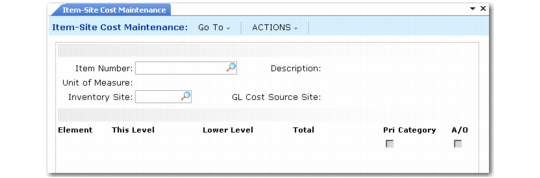
You set up the rules that define the default cost source site in Linked-Site Rules Maintenance. However, you can change this value manually in the GL Cost Source Site field in Item-Site Cost Maintenance (1.4.18). Use this field to enter a valid site code to specify which site to set as the GL cost source site for any specified item. This lets you assign costs for any item from any valid designated GL cost source site. Access to this field can be security restricted.
Item-Site Cost Maintenance (1.4.18)
For linked-site costing to function in Item-Site Cost Maintenance, the following must be true:
• Valid item, site, inventory, and GL standard cost information exists for the sites and inventory you want to link.
• Linked-site costing is active and linking rules are defined for the inventory site.
• The inventory site and the GL cost source site are in the same database.
• GL cost set costing method is not average for the cost source site or the inventory site.
• The GL cost source site is not linked to another cost source site.
Otherwise, the linking rule is not applied, you cannot update GL Cost Source Site, and the GL standard cost site and inventory site remain the same.