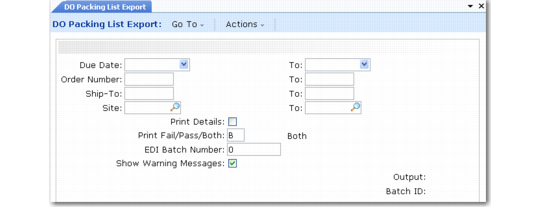
Exporting Distribution Order Packing Lists
Use DO Packing List Export (35.4.16) to generate and export a warehouse distribution order packing list, such as one used as an ANSI X12 format 940 warehouse shipping order.
For example, you can use DO Packing List Export to create a shipping order that informs a warehouse that the listed items and quantities are shipped to another warehouse.
Note: This program generates packing lists for other warehouses based on distribution orders. To instruct a warehouse to deliver to a customer address based on a sales order picklist, use Packing List Export. See
Exporting Packing Lists.
DO Packing List Export (35.4.16)
This program is similar to Distribution Order Picklist Print (12.17.19). However, instead of sending standard packing list data to a specified output device, DO Packing List Export uses EDI eCommerce setup records to generate an export file. The file is in the format specified for the receiving trading partner.
See
QAD Supply Chain Management User Guide for information on distribution orders.
This export uses the following trading partner parameters, which are set up in Trading Partner Parameter Maint (35.13.10):
• Logical position 19: Send DO Packing List; set to Yes or No
• Character: DO Packing List Doc Name; set to the name of the application document definition to use; for example, Packing-List
• Integer: DO Packing List Doc Ver; set to the version number of the application document definition to use