Prepare the Installation Environment
1 Register your Georgia Softworks domain information.
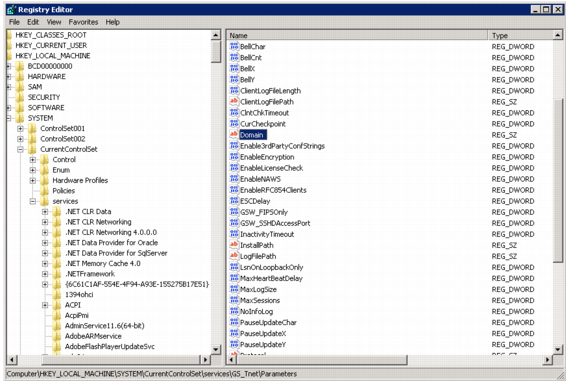
a Open the Windows Registry. You can search for regedit in the Windows Start menu.
b In the menu tree on the left, open the following: HKEY_LOCAL_MACHINE\SYSTEM\CurrentControlSet\Services\GS_Tnet\Parameters
Windows Registry
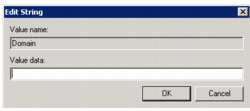
c On the right side, double-click Domain. Change UNKNOWN to blank.
Domain
d Restart the Telnet service.
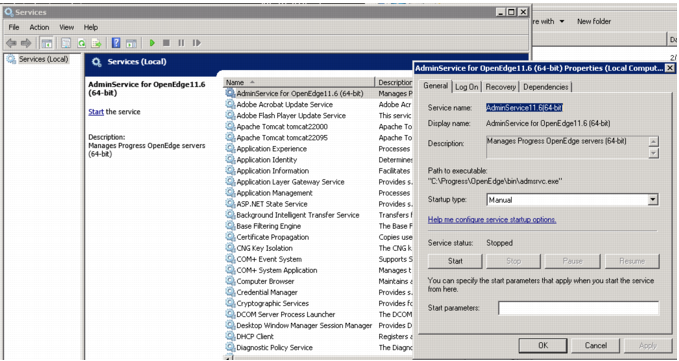
2 Set AdminServices to start manually.
a Open Services.
b Right-click AdminService for OpenEdge and select Properties.
AdminServices
c Stop the service with the Stop button under Service status.
3 If you are using SSH protocol for the connection manager, you must install the full cipher algorithm libraries to the JDK. You can download the libraries from Oracle:
After you have downloaded the libraries, extract them to $JAVA_HOME/jre/lib/security.