Prerequisites
• Three XML files are created when you run the data archive function
• ArchiveConfig.xml
• ArchiveTask.xml
• ArchiveAuditTrail.xml
These XML files are stored in the same folder as
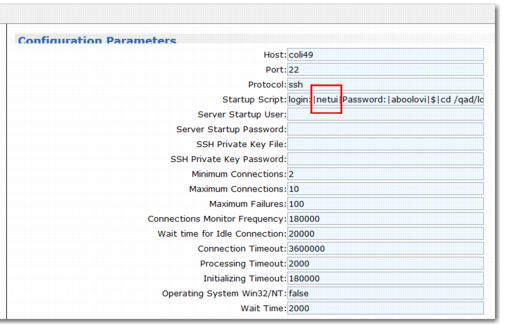
cbsever.xml. Before you run any financial archive menu, open the Connection Manager and add at least Read, Write, and Execute access (
-w,
-r,
-x) to that folder for the user ID shown under Update configuration settings. In
Connection Manager, the user ID is
netui.
For data security, it is recommended that you archive these three XML files periodically. You can copy the XML files to another storage media along with the normal archive files.
Connection Manager
• It is recommended that you run related data archive menus using the .NET client. If you use a terminal client, such as Putty, the system may require access to the XML folder for the individual user.
• Define enough disc space for the user because, when there is a large volume of data in the database, the archive file may be large.