QAD 2017 Enterprise Edition
>
User Guides
>
Financials
>
Customer Billing
>
Customer Billing Workflow
Customer Billing Workflow
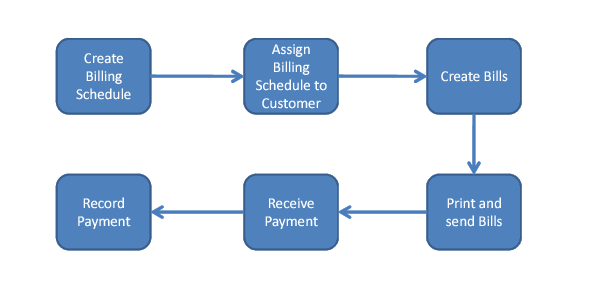
Typical billing workflow is illustrated in
Billing Workflow. Usually, the steps are:
1 Create a billing schedule. For example, you can define schedules to generate bills once a month on a particular day or several times a month or even weekly. You can define multiple billing patterns, depending on your needs.
2 Assign each customer a billing schedule, which specifies a default billing pattern for that customer. As part of this step, you can also assign an employee as the default bill collector.
3 Create a bill or bills for the customer based on the billing schedule. You can also update or override due dates and the assigned collector.
4 Test print bills to verify they are correct and then confirm print the bills to send them to the customer.
5 Receive payment from the customer. You may receive the payment in full or in part.
6 Record the payment to close the bill or to adjust the outstanding balance.
Billing Workflow