Supplier Setup for Reverse-Charged VAT
This section describes the ESL setup required when you are providing services subject to reversed VAT charges to customers based in other EU countries. In this case, you, the supplier, are not responsible for paying the VAT, which is charged to the customer purchasing the service.
Tax Boxes
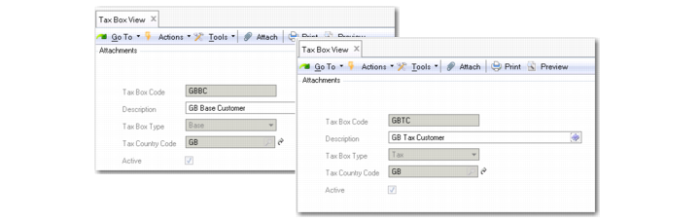
Create tax boxes for each new tax group using Tax Box Create (29.6.1.1.1). The tax boxes represent subtotal fields on the ESL report.
Tax boxes are generally defined in pairs. Create one tax box for the base transaction amount and one tax box for the transaction tax amount. See
Tax Boxes for more information on the use of tax boxes.
Tax Boxes
Tax Groups
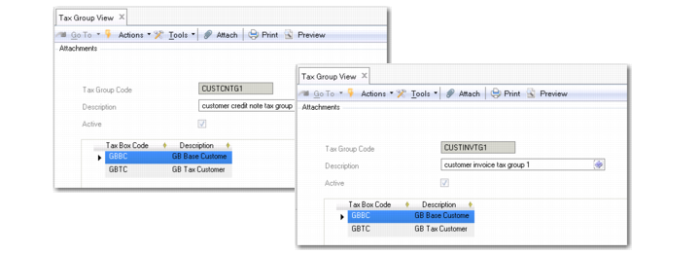
Create an invoice tax group and a credit note tax group for reverse-charged tax rates using Tax Group Create (29.6.1.2.1). Use the tax groups to group the base amount and tax amount tax boxes.
See
Tax Groups for more information on the use of tax groups.
Tax Groups
Tax Rates
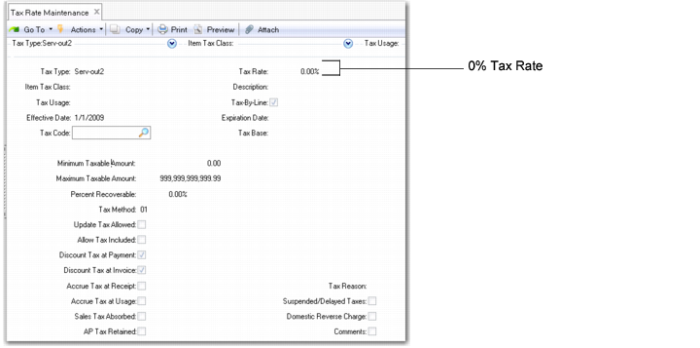
It is recommended that you create a specific tax rate in Tax Rate Maintenance (29.4.1) for the supply of services subject to reverse-charged VAT. Set the tax rate percentage to zero because the customer is responsible for paying the VAT. See
Tax Rate Maintenance for further information on creating tax rates.
Tax Rate Maintenance (29.4.1)
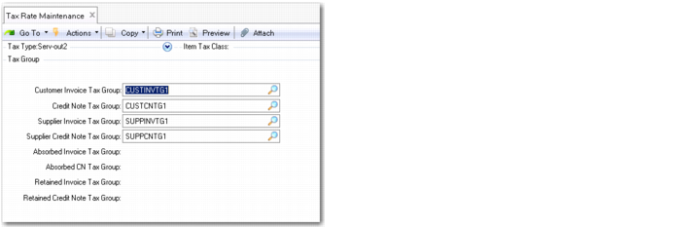
You associate the new tax groups with the new tax rate using the Tax Groups frame in Tax Rate Maintenance (29.4.1).
Tax Rate Maintenance, Tax Groups Frame