Customer Setup for Reverse-Charged VAT
This section describes the ESL setup required when you, the customer, are paying for a service from a supplier based in another EU country. In this case, you are responsible for paying the VAT on the service.
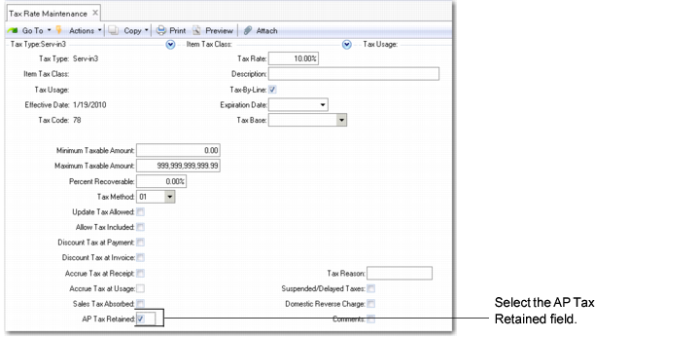
It is recommended that you create a specific tax rate in Tax Rate Maintenance (29.4.1) for services you receive that are subject to reverse-charged VAT. The new tax rate must be marked as AP Tax Retained. This means that you are responsible for paying the VAT.
Tax Rate Maintenance (29.4.1)
Again, you associate the new tax groups with the new tax rate using the Tax Groups frame in Tax Rate Maintenance (29.4.1), as shown in
Tax Rate Maintenance, Tax Groups Frame.