Certification of Analysis Control
Set parameters in Certificate of Analysis Control to determine the content of a certificate of analysis for lot attribute orders or quality orders.
Follow these steps to set up the parameters of the certificate of analysis:
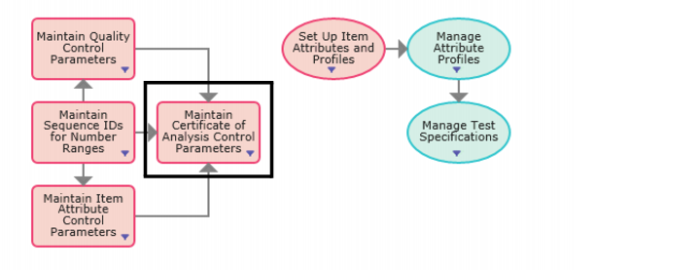
1 Select Maintain Certificate of Analysis Control Parameters from the Set Up Test Specifications and Quality process map.
Set Up Test Specifications and Quality Process Map
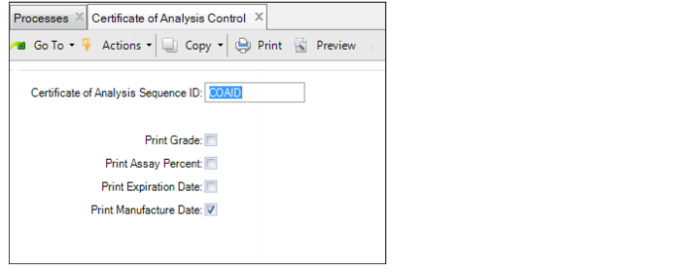
2 Enter the required information in the following fields:
Certificate of Analysis Control
Certificate of Analysis Sequence ID
Enter the NRM sequence code used to create identification numbers for printed certificates of analysis. The system uses this code to generate sequence numbers for all certifications. When setting up the sequence in NRM, use a target qlcoa_id dataset. For information on setting up NRM sequences, see
QAD System Administration User Guide.
Print Grade
Select this option to print the quality or lot attribute order value for grade on the certificate of analysis. The system does not print the grade value if this option is not selected. By default, this option is not selected.
Print Assay Percent
Select this option to print the quality or lot attribute order value for assay% on the certificate of analysis. The system does not print the assay% value if this option is not selected. By default, this option is not selected.
Print Expiration Date
Select this option to print the quality or lot attribute order value for expiration date on the certificate of analysis. The system does not print the expiration date if this option is not selected. By default, this option is not selected.
Print Manufacture Date
Select this option to print the quality or lot attribute order value for manufacture date on the certificate of analysis. The system does not print the manufacture date if this option is not selected. By default, this option is not selected.
Select this option to set the default value for the Print Manufacture Date field in Certificate of Analysis Print (19.8.1). If this option is selected, the Print Manufacture Date field by default will be set to Yes. If this option is not selected, the Print Manufacture Date field by default will be set to No.