Repetitive Ops and Test Records
CUM Orders - Creating Test Records from Backflush Transactions
Test records for CUM orders trigger differently than those created for work orders. While work order test records involve distinct work operations, CUM order test records deal with Advanced Repetitive processes. These trigger at each repetitive backflush. As a result, this process repeats with each subsequent backflush. If the order is open, subsequent backflushes update the test record. If the order is closed, a new order is created instead.
The following procedure demonstrates how to process test records for CUM order operations. It shows how to conduct in-process testing after a backflush is performed at an operation and explains how test records attach to CUM orders. By following this procedure, you will be able to test ongoing processes and to attach multiple records to repetitive processes where necessary.
Note: In the following procedure, Item 70210, which has five different operations, is used.
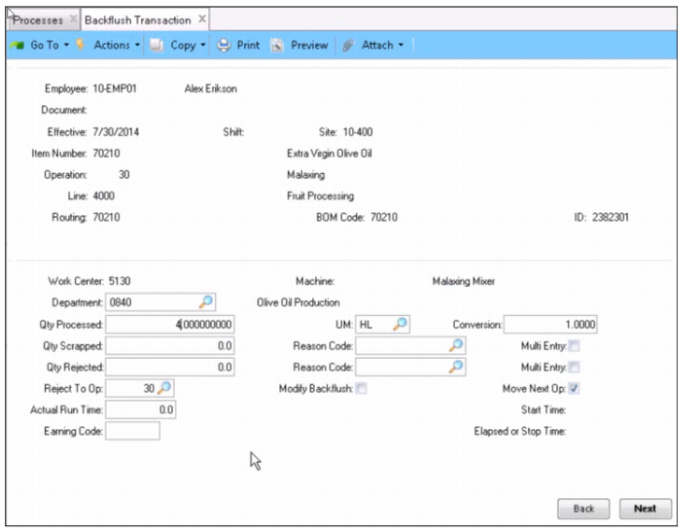
1 Perform a backflush transaction. In the following example, a quantity of 4 is backflushed at operation 30. This backflush creates a test record.
Backflush to Create Test Records
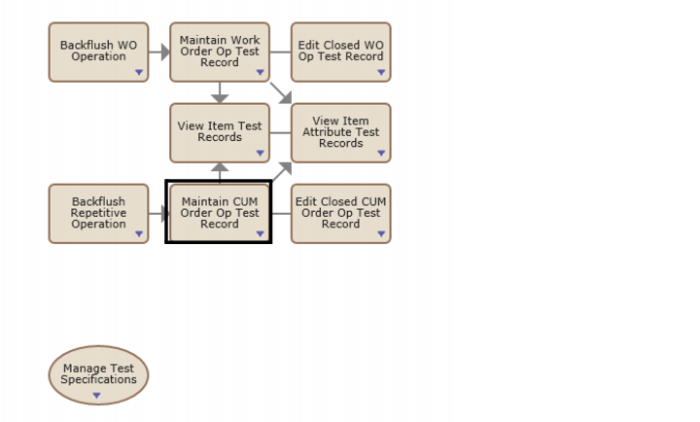
2 Open the Maintain CUM Order Op Test Record collection in the Inspect Production Operation process map.
Process Map - Inspect Production Operation
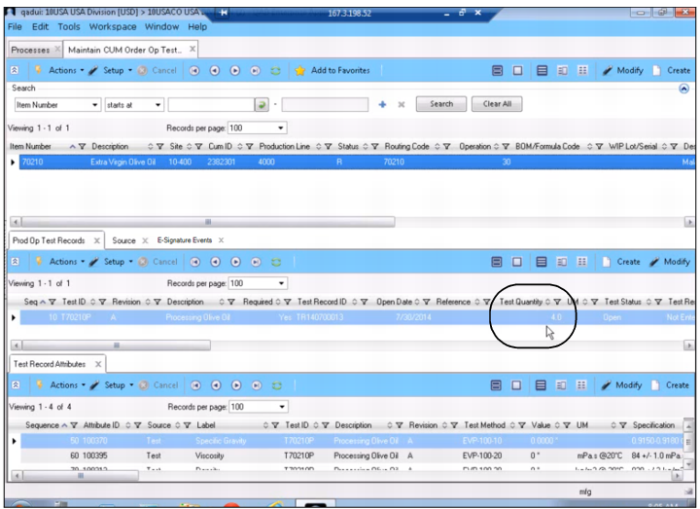
3 The Maintain CUM Order Op Test Records collection displays the test records created for CUM orders.The test record on the Prod Op Test Records tab displays the quantity that was backflushed in the previous step.
Maintain CUM Order Op Test Records Collection
4 If the test record status remains Open, each time a backflush is performed for this item and operation, those parts will be added to the test record.
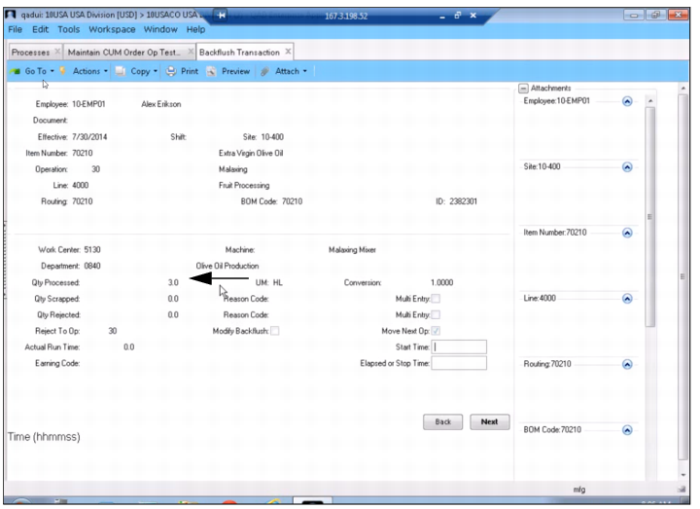
To add additional parts to the test record, backflush another three items.
Backflushing and Adding Items to the Test Record
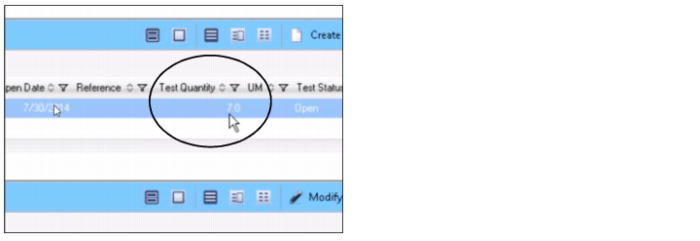
5 Refresh the Maintain CUM Order Op Test Record collection. The test quantity is increased by 3, making a total test quantity of 7. As quantities continue to be backflushed, this record will continue to increase.
Backflushed Quantities Added to the Test Record
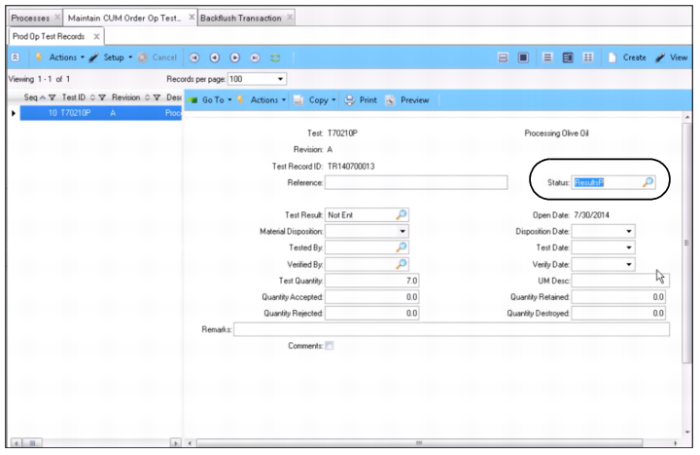
6 To stop collecting quantities for this test record, open the test record and change the status to Results Pending. This freezes the test record and stops the backflush quantities from accumulating.
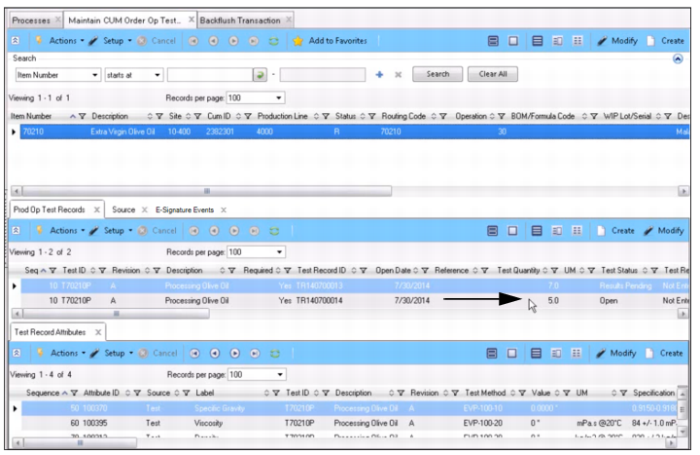
7 If you have additional quantities to backflush, a separate test record will be created.
Changing the Status of the Test Record - Freezing the Record
8 In the following example, an additional 5 items are backflushed at operation 30. Refresh the Maintain CUM Order Op Test Record collection to view the new test record that was created from the previous backflush transaction.
Test Record Created for Newly Backflushed Quantities