Manually Creating Intrastat History
Use two programs to manually update Intrastat history:
• Use Manual Post IC Transactions (29.22.9) to move data captured during inventory transfers to Intrastat history.
• Use Intrastat Maintenance (29.22.13) to create history records manually or update existing ones.
Manual Intrastat Post
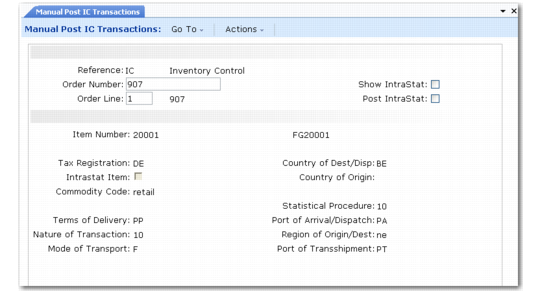
Use Manual Post IC Transactions (29.22.9) to select an import/export detail of type IC. Set the Post Intrastat field to Yes to post the current record to Intrastat history. You will be prompted to confirm.
Manual Post IC Transactions (29.22.9) illustrates Manual Post IC Transactions.
Manual Post IC Transactions (29.22.9)
On confirming this posting, an Intrastat history record is created using the data supplied by the import/export detail. If the Show Intrastat field is also Yes, the Intrastat history record is displayed.
When the Intrastat posting has been completed successfully, the import/export detail is deleted and the next import/export detail is displayed.