Grid Sorting
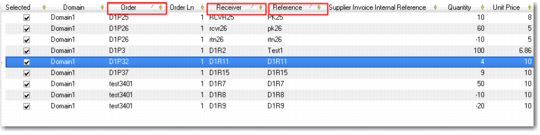
You can sort the information in a grid using multiple sort levels. To use this facility, click on the first sort column on the grid. For subsequent sort levels, hold down the Shift key and click on the required column headings. The example in
Grid Sorting is sorted by Order, then by Receiver, and then by Reference. The triangle symbol to the right of the column name indicates that the column is used in the grid sort.
Grid Sorting
Selecting Records
To select individual records in a grid, hold down the Ctrl key and click on the individual record that you want.
To select all records displayed in a grid, use Ctrl + Shift + End.
To select the last modified record, use Ctrl + End.
To select a range of records; click the first record in the range, hold down the Shift key, and click the last record in the range.
Grid Filtering
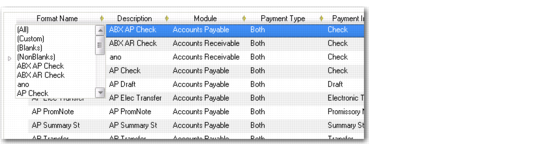
Each column header also features a drop-down filter option. Click the icon to display the available filters.
Grid Filtering