Maintaining Item Specifications
To use these functions, Item Specifications must be Yes in QM Enable PCC Item Spec Maintenance (19.26.1.22).
Use Item Specification Maintenance to manage changes to quality tests associated with an item. You can copy item specifications defined in the Quality Management module and modify them in the PCO.
A submenu provides two selections:
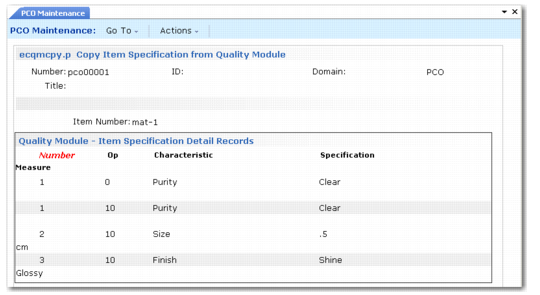
• Copy Item Specification From Quality Module. Copies item specification records into the PCO. Displays the current sequence of steps for a given parent item and routing.
Copy Item Specification From Quality Module
• PCR/PCO Detail Maintenance – Item Specification. Used to add, modify, and deactivate test steps for an item specification that has already been added to a PCO. Records are not actually deleted. Deactivating a record sets an ending effective date when the PCO is incorporated.