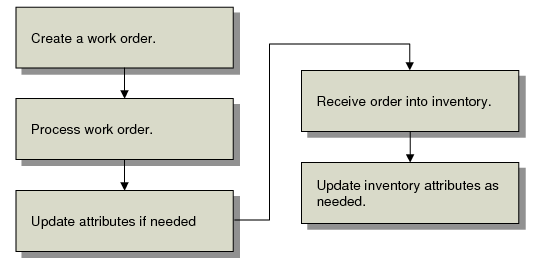
Inventory Attributes Workflow
Once Compliance Active is Yes in Regulatory Attributes Control, you can create and process work orders according to your normal procedures. If needed, you can update item attributes directly using Work Order Attribute Maintenance (1.22.4).
Inventory Attributes Workflow
Then receive the work order using Work Order Receipt (16.11) or Work Order Operation Backflush (16.19). After the items have been received, attributes can be modified again as needed using Multi-Lot Inventory Update (1.22.19) or Inventory Detail Maintenance (3.1.1).