QAD 2017 Enterprise Edition
>
User Guides
>
Planning and Scheduling Workbenches Administration
>
Configure
>
ControlConfig.XML File
ControlConfig.XML File
The ControlConfig.XML file sets up and defines the QAD Planning and Workbench configuration. It defines the major frames that display and the actual fields that display within the supporting data frames; that is, the fields that display in the programs and browses that display in the tabs at the bottom of the workbench.
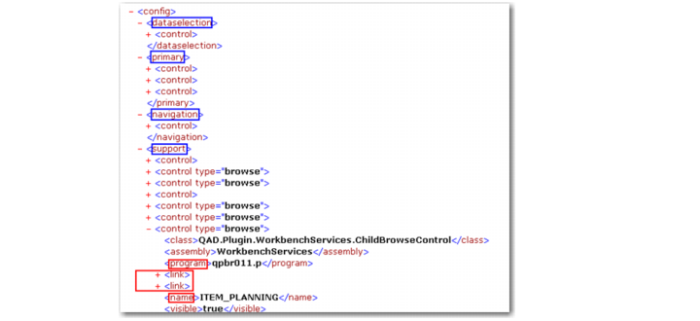
The XML consists of four tags, one for each area that the user interface has as shown in the blue boxes. Each tag can contain one or more control tags. Each control tag is for a component that displays in the user interface area. Each control tag consists of a class, assembly, and name tags. In addition, there may be other tags that are unique to a certain component. The visible tag is currently not used; see
ControlConfig.XML Code.
ControlConfig.XML Code
The file is located in the /config directory of your plugin installation on the local PC. In a typical system, the /config directory is located in a path like the following:
C:\Program Files\QAD\QAD Enterprise Applications...\plugins\QAD.Plugin.PlanningScheduling\config\...
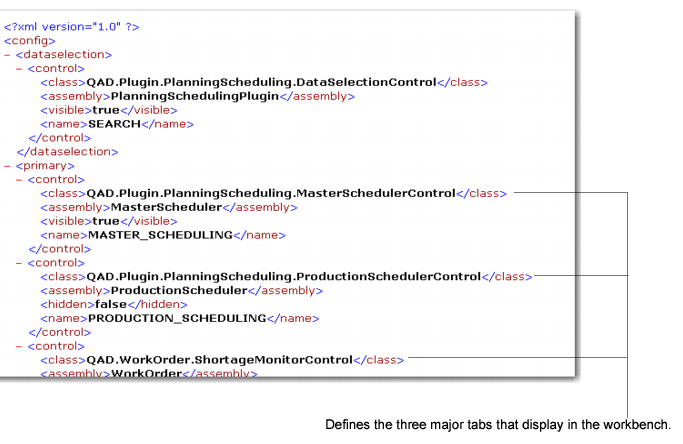
The file consists of control elements that define components of the workbench configuration in a hierarchical manner. For example, in the primary area are three controls are defined. These display on the user interface as three tabs:
• MSW
• PSW
• Shortage Report
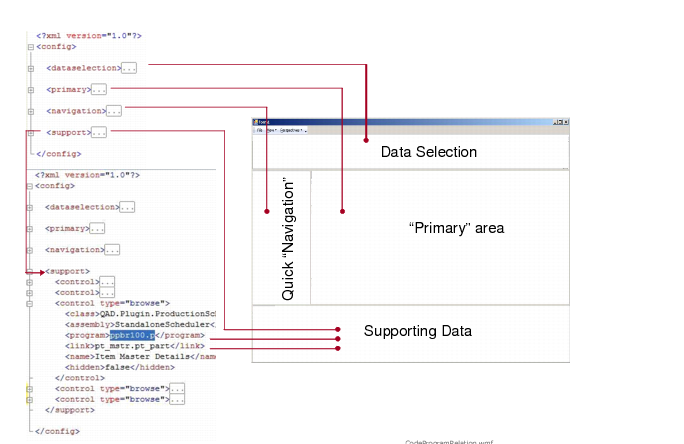
Code-UI Relationship depicts the code in the XML file and how it relates to the workbench framework.
Code-UI Relationship
The Resource Navigator is defined as a control element for the
<navigation> element, and Production Order Maintenance is defined as a
<control> element for the
<support> element. The actual programs are defined within the class
<class:> definitions; see
ControlConfig.XML File.
ControlConfig.XML File
The following graphic depicts how the configuration, defined in ControlConfig.XML, relates to the UI.
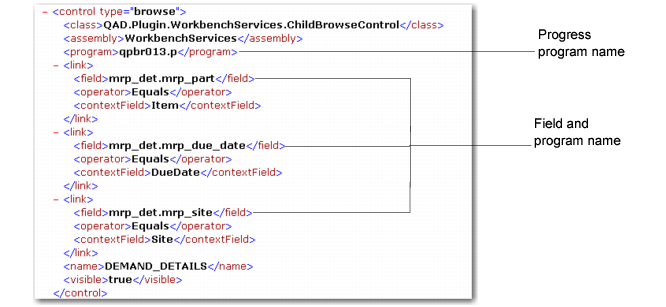
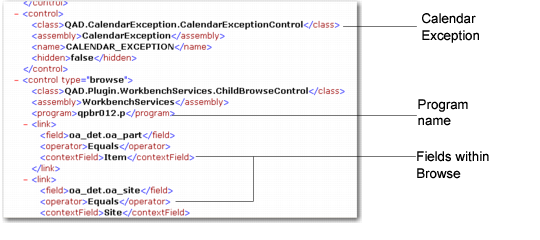
Browses that display within Production Order Maintenance are defined in ControlConfig.XML as <control type=browse>. The file defines the QAD SE Progress program name (.p), then the fields within the browse are defined next, which includes the table and field name as defined within QAD SE.
Browse and Field Definitions
Other programs in tabs that display at the bottom of the workbench are also defined as control elements. This is followed by defining the control type as browse, then field definitions that display within the browses. The following figure depicts the Calendar Exception tab.
Other Program Definitions