Modifying Production Order Dates
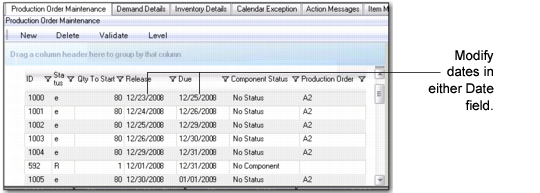
You can modify production order header dates in MSW to help you manage the due and release dates of production orders. Use the following procedure:
1 Select the Production Order Maintenance tab within MSW.
When you modify the due date, MSW updates workbench calculations and other calculations impacted by order due date and quantity.
When a due date is changed, the system changes the corresponding release date so that the lead time from item planning remains the same.
If changing dates for a production line, MSW updates the production line required capacity; if changing dates for a work center, there is no impact.
3 Click the Save button to save your changes.
Production Order Maintenance, Date Fields