Releasing and Printing Production Orders
You can print production orders from the MSW. To do this:
1 Select orders for print.
2 Save the production orders you want to print.
The orders selected on the MSW/PSW print. The Selected for Print field is cleared in MSW’s Production Order Maintenance.
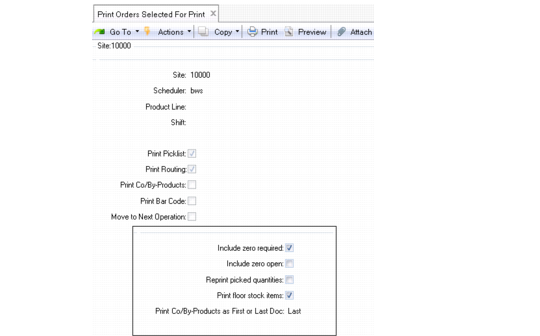
Print Orders Selected for Print (16.5)
Note: You can only print released orders with the Print Orders Selected for Print function.