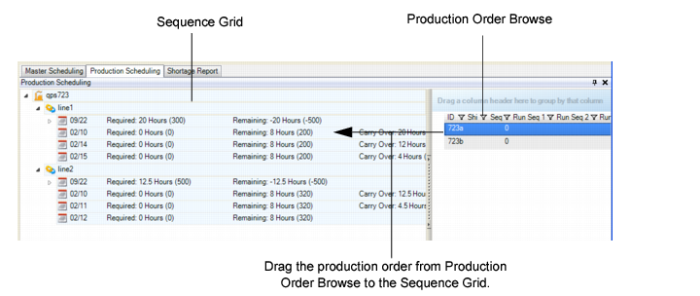
Scheduling a Production Order by Dragging and Dropping
For a selected production order, you can drag and drop from Production Order Browse to the Sequence Grid.
1 Select the production order in Production Order Browse.
2 Drag the order to the PSW Sequence Grid.
A drop indicator displays, indicating the location at which you can drop the production order.
Note: The indicator does not display if the production line target is not defined as a primary or alternate production line.
PSW updates and recalculates data.
Drag and Drop from Production Order Browse