Modify Production Order Status
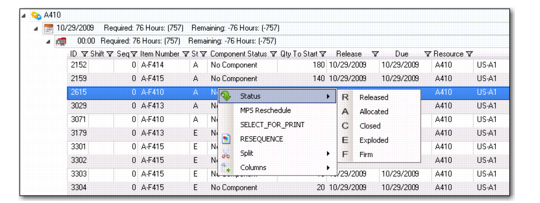
You can modify the status of one or many production orders easily within the PSW Sequence Grid.
To do this, use the following procedure:
1 Drill down in the Sequence Grid to view orders.
2 Right click, then select Status.
Note: You can hold down the right mouse button to select more than one production order to mass change the status.
3 Select the status for the change:
• A(llocated)
• C(losed)
• E(xploded)
• F(irm)
• R(eleased)
Status Change