Dispatching and Printing
You can publish production schedule data to the shop floor using a dispatch list. To do this, you export PSW data to a Microsoft Office Excel spreadsheet.
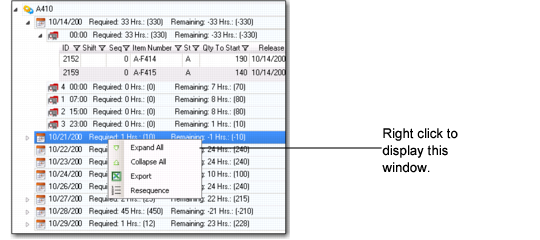
While in the Sequence Grid, right-click on the release date row. A window displays options to expand, collapse, export, and resequence. Select Export. When you do, the system opens Excel and creates a temporary spreadsheet file. You should rename the file from Microsoft Office Excel.
Export Window