QAD 2017 Enterprise Edition
>
User Guides
>
Planning and Scheduling Workbenches
>
Enterprise Asset Management
>
Working with EAM Repair Orders
Working with EAM Repair Orders
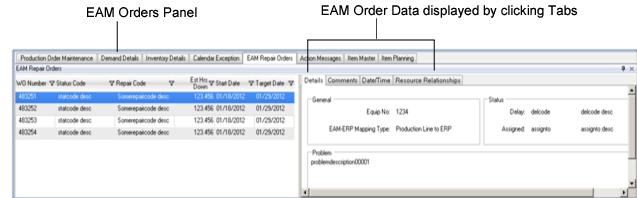
The Planning and Scheduling Workbenches display information about EAM repair orders. This information is displayed in the EAM Repair Orders tab at the bottom of the workbenches; see
. Workbenches Repair Orders Tab. The panels that display are split into two major sections, much like the display for production orders.
The left panel displays a summary of EAM orders that are associated with the resource (work center or production line) that is currently in context. The columns displayed are:
• Order ID
• Order status code description
Note: The Status field is in EAM Work Order|Equipment.
• Repair code description
Note: The Repair field is in EAM Work Order|Codes.
• Estimated hours down.
Note: The Est Hours Down field is in EAM PM|Codes.
• Start date and target date
Note: The Start and Target Date fields are in EAM Work Order|Equipment.
The right panel displays various data, depending upon which tab you select. The topics following the graphic describe the data available through each tab.
.
Workbenches Repair Orders Tab