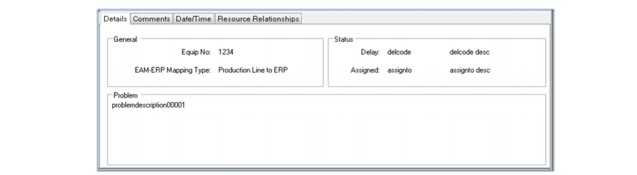
Details Tab
When a particular order is selected in the EAM Orders grid, this tab will display attributes of the order in a form.
.
Workbenches Repair Orders Tab
Equip No
The EAM equipment number.
EAM-ERP Mapping Type
Can be either Production Line to ERP or Work Center to ERP.
Delay
The code and description for the reason why the EAM order is delayed.
Assigned
The repair technical code and name, assigned to the repair order. This is from the Assigned field in the EAM work order.
Problem
The problem statement.