Update Tax Rates
When the Supplier Consignment Inventory module is active, you have an additional option for determining when the system creates GL transactions for tax amounts on consigned purchases. The tax point is determined by settings defined for the tax rate in effect in Tax Rate Maintenance (29.4.1).
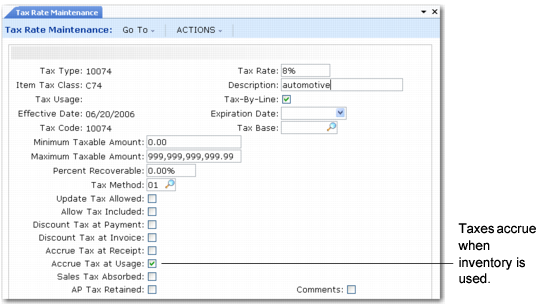
Setting Tax Accrual in Tax Rate Maintenance (29.4.1)
The Accrue Tax at Receipt setting normally determines the tax point for purchased items. This field is ignored when using this module.
For consigned items, the Accrue Tax at Usage setting lets you accrue taxes when consigned items are used. Items can be used in a variety of ways, including:
• Issue to a work order, distribution order, sales order, repetitive order, or configured item final assembly work order
• Unplanned issue
• Transfer to another location or site
When Accrue Tax at Usage is No, the system creates tax transactions for consigned items at receiver matching.