Update Settings for Sites and Locations
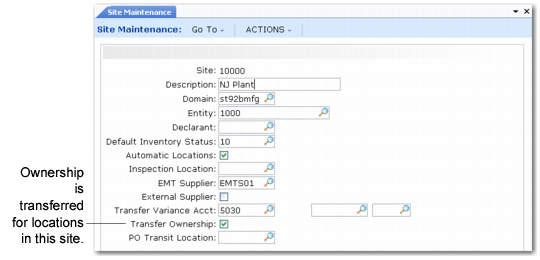
When the Supplier Consignment Inventory module is active, you can use the Transfer Ownership field to indicate how consigned inventory should be managed when it is transferred to a specific site.
Transferring Ownership in Site Maintenance (1.1.13)
The value you specify for a site determines the default value for new locations created in the site. This default applies both to locations created in Location Maintenance (1.1.18) and any locations created by the system when Automatic Locations is Yes. You can modify the default in Location Maintenance as needed.
The same field exists in Location Maintenance. At the location level, this field has the following effect:
No: Inventory received into the location retains its consigned status.
Yes: Receiving inventory into the location initiates a transfer of ownership (usage). To track the ownership change, RCT-PO and CN‑ISS transactions occur in addition to the inventory transfer and receipt. The supplier can now invoice you for the inventory, and GL accounts are updated.
When the Supplier Consignment Inventory module is not active, the Transfer Ownership field is disabled.
Transfer of ownership occurs automatically when consigned inventory is issued to work orders, sales orders, or final assembly orders and when unplanned issues occur. Ownership transfer is optional only during inventory transfers and receipts.
Note: Distribution order issues are a type of transfer.