Making Inventory Adjustments
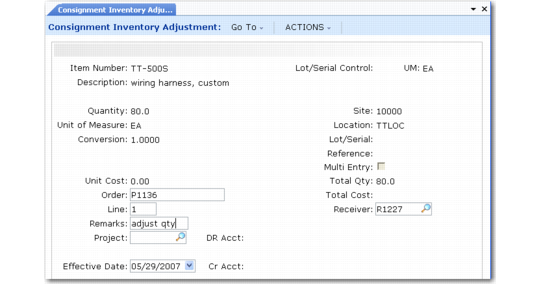
Use Consignment Inventory Adjustment (5.18.25.21) to manually modify consigned inventory information such as quantities and locations.
Consignment Inventory Adjustment (5.18.25.21)
Purchase order and line number are required. The system validates that the items on the order line were consigned. A warning displays if there are no consigned items in the location specified.
You might use this program after doing a physical inventory to indicate that surplus items are consigned.
Adjustment generates records of type CN-ADJ to record consignment adjustment.
A negative quantity adjustment:
• Credits the PO Consigned Inventory account
• Debits the PO Consigned Offset account
A positive quantity adjustment:
• Debits the PO Consigned Inventory account
• Credits the PO Consigned Offset account
Important: Consignment Inventory Adjustment is designed only to update the consignment quantity. It does not adjust any other elements of the regular consignment business cycle. Before using it, be aware that:
• This function does not make any changes to the quantity on hand. This can lead to possible discrepancies between inventory valuation reports and the inventory GL balance. You should make appropriate adjustments to quantity-on-hand balances, as needed.
• Pending supplier invoices are not updated based on this adjustment. Changes to the amount due the supplier must be made manually.