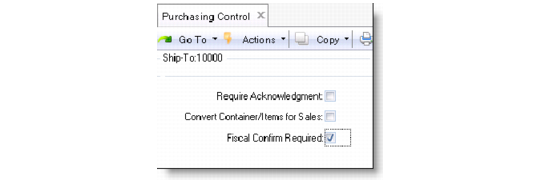
Configure Fiscal Receiving Control Settings
Before processing fiscal receiving, you must first activate the feature. Use Purchasing Control (5.24) to enable fiscal receiving by setting the Fiscal Confirm Required field to Yes.
Fiscal Confirm Required
Use this field to enable or disable the fiscal receiving process.
Yes: Fiscal Receiving (5.20.1) is enabled. You can process fiscal receiving in addition to physical receiving.
No: You cannot use Fiscal Receiving. The receiving process is regarded as complete when the inventory receipt is conducted; a pending supplier invoice is also created without checking whether the fiscal receiving is confirmed or not.