Revenue Recognition Setup Overview
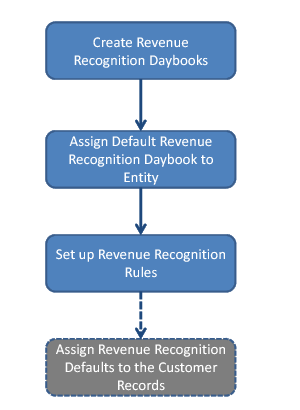
Set up revenue recognition as displayed in
Revenue Recognition Setup Workflow.
1 Create one or more revenue recognition daybooks.
2 Assign a default revenue recognition daybook to an entity.
This step is mandatory when the entity is to be used for revenue recognition.
3 Set up revenue recognition rules. Create at least one revenue recognition rule.
4 Assign default revenue recognition settings to one or more customers.
This step is mandatory when revenue contracts are to be auto-generated when sales orders are created.
Revenue Recognition Setup Workflow
When you have completed the setup, you can define GL account mappings for revenue recognition deferral and accrual postings, depending on the sales account.