Assigning Customer Defaults
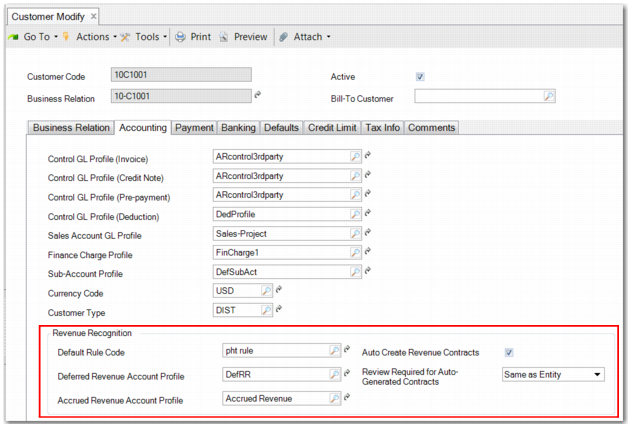
For each customer included in revenue recognition, you can set up certain default information, as displayed in
Customer Modify - Accounting Tab.
Customer Modify - Accounting Tab
The settings you can define are:
• A default revenue recognition rule.
• A default deferred revenue account profile.
• A default accrued revenue account profile.
• Whether to automatically create a revenue contract from sales orders when you run Revenue Contract Autogenerate (37.1.5).
• Whether a review is required for revenue contracts created for this customer. You can choose to inherit the entity-level setting or you can make a decision specifically for this customer.
It is not mandatory to set defaults unless revenue contracts are to be auto-generated when a sales order is created. If you select the Auto Create Revenue Contracts field, you must complete the other fields.