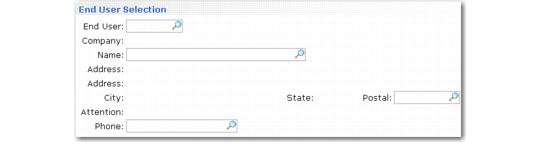
End User Selection Frame
The End User Selection frame displays if you leave the end user for this call blank and click Next or press Enter.
End User Selection Frame
This frame assists you in selecting an end user based on four key pieces of information: number, contact name, zip code, and contact phone number. These data elements represent the kind of information that is often obtained directly from a caller on the phone.
Populate these fields in one of three ways: by direct input, by next/previous processing, or by lookup browses. When you enter a value, the system attempts to find an end user or end-user contact record that matches; otherwise, a warning displays.
When you click Next and the system finds a valid matching record, you are returned to Call Maintenance with that end-user number. If a matching record is not found, the system prompts you to create a new end user. The system carries over any values specified in the End User Selection frame to the next frame.