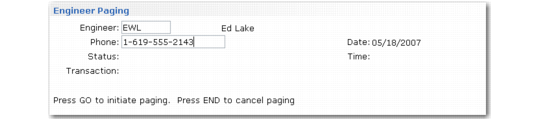
Engineer Paging Frame
If Page Engineer is Yes, the Engineer Paging frame displays.
Engineer Paging Frame
Engineer
The code identifying the engineer assigned to the call displays by default. The employee name of this engineer displays next to the code.
Phone
If the engineer being paged has been set up with a pager number in Engineer Maintenance, it displays in this field. This is the number the system passes to the paging program.
Date and Time are display only. When you click Next, the system initiates paging. Set up the paging program and paging statuses in Paging Control (11.11.24).