QAD 2017 Enterprise Edition
>
User Guides
>
Service/Support Management
>
Call Management
>
Monitoring Calls in Call Queue Manager
Monitoring Calls in Call Queue Manager
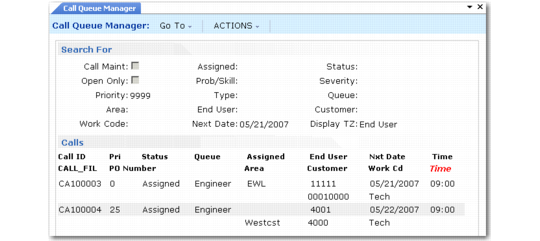
The Call Queue Manager (11.1.6) is a multipurpose tool for sorting and manipulating call records. In busy support environments, you usually need to view and edit calls according to preselected criteria. For example, a supervisor may scan calls by status, service engineer, or priority.
Call Queue Manager (11.1.6)
You can specify any number of search criteria for reviewing calls.
Note: Selecting calls by work code can take noticeably longer than other selection criteria. Keep this in mind when displaying a large number of calls.
When Multiple Time Zones is active, you can select a display time zone to use when reviewing calls. The next status date and time of each call display relative to the time zone selected.