QAD 2017 Enterprise Edition
>
User Guides
>
Service/Support Management
>
Engineers and Scheduling
>
Engineer Scheduling Setup
Engineer Scheduling Setup
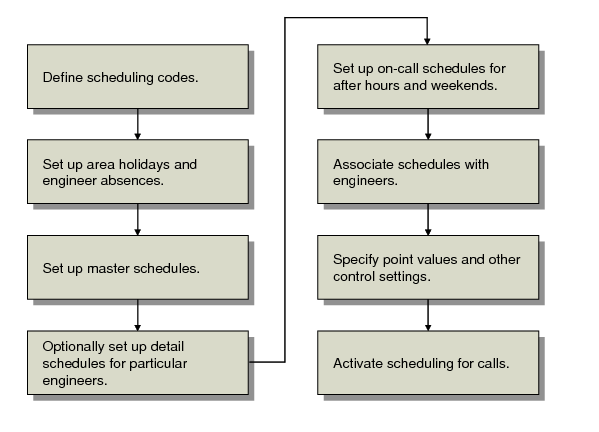
Setting up engineer scheduling involves a number of related tasks, illustrated in
Engineer Scheduling Work Flow.
Engineer Scheduling Work Flow
After you set up engineers and the codes associated with them, define area and engineer holidays if they are important to scheduling. Then define master schedules and use them as the basis for engineer detail schedules. Master schedules are also used as the basis for an on-call schedule, covering the hours outside normal work hours.
After schedules are defined, you can associate them with engineers. Then set up the control program to express the importance each scheduling factor has in your business environment. Finally, activate call scheduling in Call Management Control (11.1.24).
The system does not require all steps. Perform those you need for your business.