QAD 2017 Enterprise Edition
>
User Guides
>
Service/Support Management
>
Service Requests
>
Service Request Queue Manager
Service Request Queue Manager
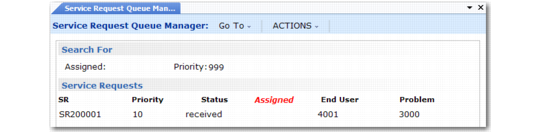
Use the Service Request Queue Manager (11.1.15.13) to view and manipulate service requests. You can sort SRs by the service engineer assigned to them or by priority.
Service Request Queue Manager (11.1.15.13)
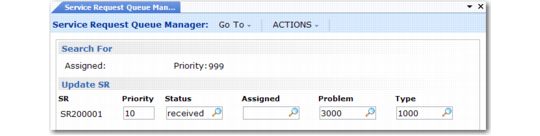
You can edit service requests from the queue manager. Select the line you want to edit and the Update SR frame, similar to the one in
Updating SRs in the Queue Manager, displays.
Updating SRs in the Queue Manager
From this frame, you can change the SR priority, status, assigned engineer, problem code, and type. Managers can use this to re-prioritize SRs and assign them to appropriate engineers.