Copying Service Structures and Routings
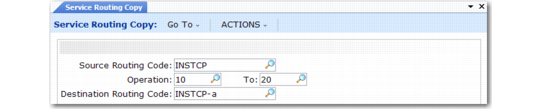
To facilitate the definition of new routings, use Service Routing Copy to copy all or a range of steps from one routing to another. You can start with a standard routing as the source. If the destination routing does not exist, the system creates it as a service routing.
If the destination routing already has operations, the operations of the source routing are added to it, unless operation numbers overlap. In this case, the destination operation is not changed.
Service Routing Copy (11.19.20)
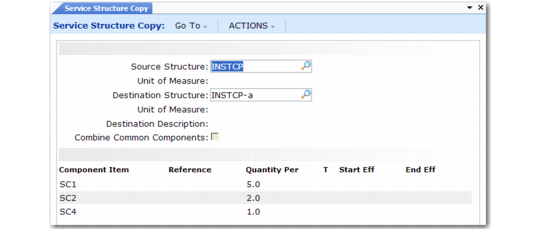
Copy service structures in a similar fashion with Service Structure Copy (11.19.9).
If the destination structure already has components, the system displays a warning and prompts you to continue. Using the Combine Common Components field, you can choose to either combine or overwrite the existing item/quantity components being transferred from the source to the destination structure.
Service Structure Copy (11.19.9)
Use these functions to streamline data entry when setting up multiple service structures and routings.