Deleting RMAs
In RMA Maintenance (11.7.1.1), you can delete the RMA lines that have not been shipped. For the shipped or invoiced RMA lines, you can use Invoiced RMA Move to History (11.7.1.22) to delete. The system does not allow you to delete an RMA record with partially invoiced or shipped lines. You can also use Invoiced RMA Move to History to identify the partially invoiced or shipped lines.
To delete an invoiced RMA record:
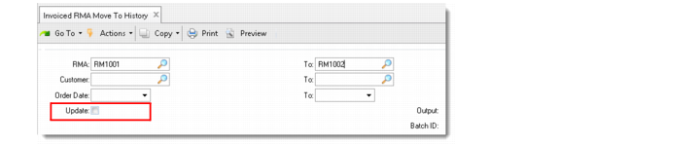
1 Check if the RMA contains partially invoiced lines by running Invoiced RMA Move to History.
Leave the Update field unselected and click Next to display the report.
Identify Partially Invoiced RMAs
2 In RMA Maintenance, modify the issue/receipt quantity to make it consistent with the invoiced quantity.
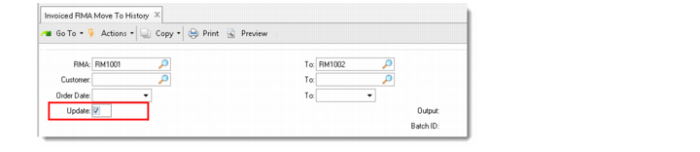
3 Run Invoiced RMA Move to History and ensure that you select the Update field.
Delete Invoiced RMAs