Entering User Field Data and Correcting Data
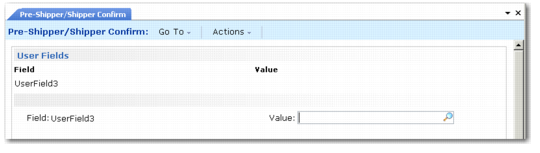
The User Fields frame that displays in shipping programs prompts the user for entry as defined in Rule Definition Maintenance (7.9.11.1). If you defined default values for user fields, they display in this frame.
Depending on the specific definitions, users can enter, modify, or delete a value from this frame as needed. This frame can appear multiple times while you are entering shipper information.
User Fields Frame
Field
This field is display only and shows the user field label for this shipper. The label prints on the shipper next to the value entered.
Value
Enter a value for this user field. Your entry is validated based on settings in Rule Definition Maintenance (7.9.11.1). User field values print on the shipper.
The Data Correction Frame displays in shipping programs near the end of shipper processing. The system prompts you to correct errors and warnings in an attempt to validate the shipper. If you specify Yes, the Data Correction frame displays. You enter a correct value for a field with a validation error in the Current Value field. The Data Correction frame can also display the container ID and container item if you use containers. It can also display the order, line, and item number. This helps you make corrections when you are shipping multiple items in a container with the shipper.