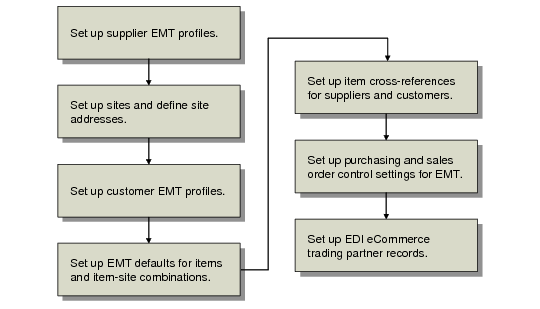
Function | Set Up | PBU | SBU |
Supplier Data Maintenance (2.3.1) | Supplier’s EMT order processing information. | | |
Site Maintenance (1.1.13) | Primary and secondary business units as sites and define default suppliers. | | |
Company Address Maintenance (2.12) | Newly created sites as company records. | | |
Customer Data Maintenance (2.1.1) | Customer’s EMT profile. | | |
Item Master Maintenance (1.4.1) | How the system processes EMT items. | | |
Item-Site Planning Maintenance (1.4.17) | How the system processes EMT items at a particular site (PBU, SBU, or both). | | |
Customer Item Maintenance (1.16) | Item cross-reference at SBU. | | |
Supplier Item Maintenance (1.19) | Item cross-reference at PBU. | | |
Sales Order Control (7.1.24) | Defaults for EMT sales orders. | | |
Purchasing Control (5.24) | Defaults for purchase orders. | | |
Trading Partner Maintenance (35.13.7) | Trading partners; used with EDI eCommerce module. | | |
Trading Partner Parameter Maint (35.13.10) | Parameters associated with specific trading-partner site and address cross-references; used with EDI eCommerce module. | | |